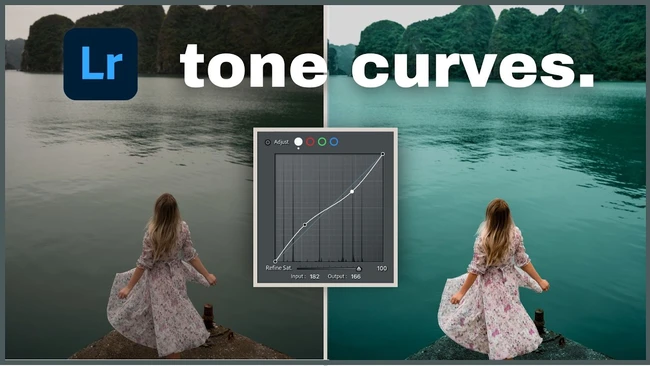
Lightroom Tone Curve: What It Actually Does to Your Edits
via Fstoppers
auto_awesomePixelfetch Take
The tone curve is one of those tools that separates photographers who edit from photographers who actually see. Most people drag the highlights down and call it done. But the channel-specific curves, the point curve versus parametric split, the way a subtle S-curve in the blue channel quietly kills muddy shadows — that's where the real work happens. If your edits have been feeling a bit cooked lately, this is worth an hour of your time before your next retouching session.
Read full articlearrow_outwardon Fstoppers
Related
Editing Software
DaVinci Resolve 21 Adds Dedicated Photo Page for Stills
Editing Software
DaVinci Resolve 21 just became a serious Lightroom rival
Editing Software
Lightroom Classic 15.3: Background AI Processing Changes Bulk Workflows
Editing Software
Capture One's Export Speed Has Tanked Since Last Update
Editing Software
Adobe's Lightroom Update Is Big. Classic Might Be the Casualty.
Editing Software
DaVinci Resolve 21's New Photo Page Is a Free, Subscription-Free Lightroom Alternative
More from Fstoppers
Stay ahead of the curve
Get the Pixelfetch digest delivered to your inbox every morning.