Matching Film Look in Lightroom Without the Lab Bills
via Fstoppers
auto_awesomePixelfetch Take
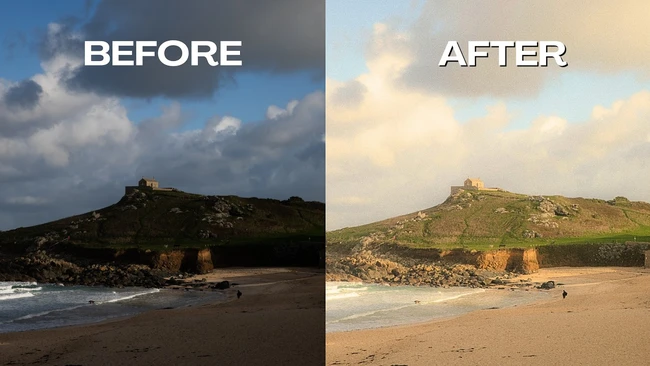
If you're billing clients who want that grain-and-fade look but you're shooting digital, building it manually in Lightroom beats chasing preset packs that never quite match your actual film scans. The real value here isn't the aesthetic trick itself — it's having a repeatable, adjustable grade you own, so when a client asks for something consistent across a 400-image gallery, you're not fiddling with sliders on every frame.
Read full articlearrow_outwardon Fstoppers
Related
Editing Software
DaVinci Resolve 21 Adds Dedicated Photo Page for Stills
Editing Software
DaVinci Resolve 21 just became a serious Lightroom rival
Editing Software
Lightroom Classic 15.3: Background AI Processing Changes Bulk Workflows
Editing Software
Capture One's Export Speed Has Tanked Since Last Update
Editing Software
Adobe's Lightroom Update Is Big. Classic Might Be the Casualty.
Editing Software
DaVinci Resolve 21's New Photo Page Is a Free, Subscription-Free Lightroom Alternative
More from Fstoppers
Stay ahead of the curve
Get the Pixelfetch digest delivered to your inbox every morning.